
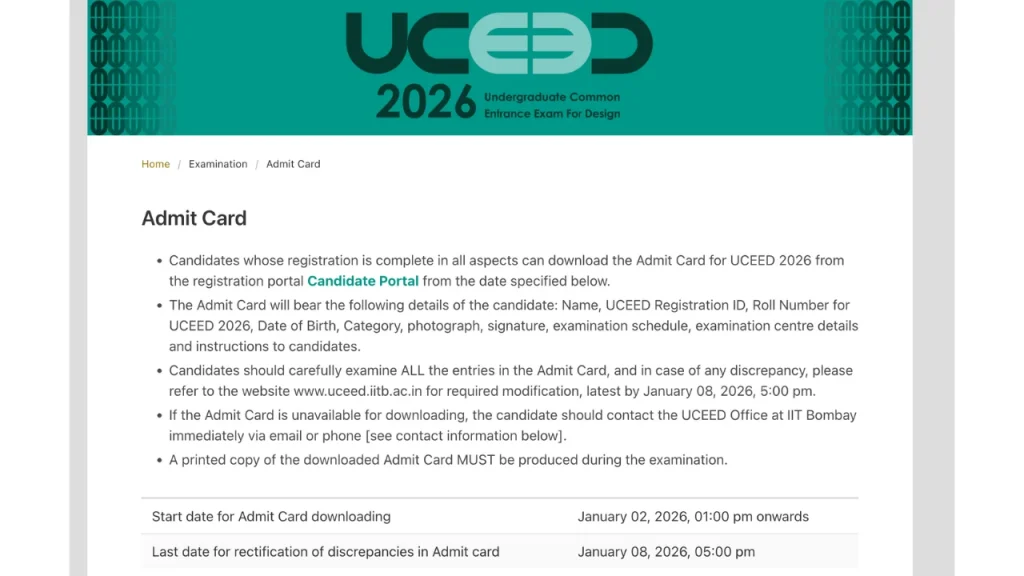

UCEED 2026 Admit Card Out-Download Hall Ticket & Exam Schedule .The UCEED 2026 Admit Card has been officially released for candidates appearing in the Undergraduate Common Entrance Examination for Design (UCEED). Candidates who have successfully registered for the exam can now download their UCEED 2026 Hall Ticket from the official portal using their login credentials.
The UCEED 2026 exam is scheduled to be conducted on 18 January 2026 in a single shift across various exam centres in India. The admit card is a mandatory document for entry into the examination hall. This article provides complete details about the UCEED 2026 admit card release date, download steps, exam date & time, details mentioned on hall ticket, and exam day instructions.

Overview of UCEED 2026 Admit Card
| Particulars | Details |
|---|---|
| Exam Name | Undergraduate Common Entrance Examination for Design (UCEED) 2026 |
| Conducting Institute | IIT Bombay |
| Admit Card Status | Released |
| Admit Card Release Date | 2 January 2026 |
| Exam Date | 18 January 2026 (Sunday) |
| Exam Time | 9:00 AM to 12:00 Noon |
| Exam Mode | Part A – CBT, Part B – Offline |
| Admit Card Mode | Online |
| Login Required | Email ID & Password |
| Courses Offered | B.Des |
| Admit Card Link | Download Here |
UCEED 2026 Exam Date & Timing
The UCEED 2026 examination will be conducted as per the following schedule:
- Exam Date: 18 January 2026
- Day: Sunday
- Reporting Time: From 7:00 AM
- Exam Timing: 9:00 AM to 12:00 PM
- Duration: 3 Hours
Candidates are advised to reach the exam centre well before the reporting time mentioned on the admit card.
How to Download UCEED 2026 Admit Card (Step-by-Step)
Follow these simple steps to download your hall ticket:
- Visit the official UCEED portal
- Click on “UCEED 2026 Admit Card Download”
- Login using your registered Email ID and Password
- Your UCEED 2026 admit card will appear on the screen
- Download the admit card PDF
- Take 2–3 clear printouts for exam day use
Details Mentioned on UCEED Admit Card 2026
After downloading the admit card, candidates must carefully check the following details:
- Candidate’s Name
- Roll Number / Registration Number
- Date of Birth
- Photograph and Signature
- Exam Date & Time
- Exam Centre Name and Address
- Important Exam Day Instructions
In case of any discrepancy, candidates should immediately contact the exam authorities before the correction deadline.
UCEED 2026 Exam Pattern
The UCEED exam is conducted in two parts:
Part A
- Mode: Computer-Based Test (CBT)
- Question Types: NAT, MSQ, MCQ
- Duration: 2 Hours
- Total Marks: 200
Part B
- Mode: Offline
- Questions: Drawing & Design Aptitude
- Duration: 1 Hour
- Total Marks: 100
UCEED 2026 Exam Day Guidelines
Candidates must strictly follow these instructions on exam day:
- Carry a printed copy of UCEED Admit Card 2026
- Bring a valid photo ID proof (Aadhaar Card, Passport, Voter ID, etc.)
- Reach the exam centre at least 45 minutes early
- Electronic devices, calculators, smart watches are strictly prohibited
- Bring drawing pencils in a transparent pouch
- Do not leave the exam hall before the exam ends
Failure to follow instructions may lead to disqualification.
Important Instructions for Candidates
- Admit card is available online only
- Digital copy on mobile may not be accepted
- Admit card must be preserved until the admission process ends
- Follow invigilator instructions carefully
FAQs – UCEED 2026 Admit Card
Q1. When was the UCEED 2026 admit card released?
The UCEED 2026 admit card was released on 2 January 2026.
Q2. What is the exam date for UCEED 2026?
The exam will be conducted on 18 January 2026.
Q3. What login details are required to download the admit card?
Candidates need their registered Email ID and Password.
Q4. Is it mandatory to carry a printed admit card?
Yes, a printed copy of the admit card is mandatory.
Q5. What should I do if there is an error on my admit card?
You should immediately contact the exam authorities for correction.